Compare solo costs, client access, and revision tracking before you subscribe.
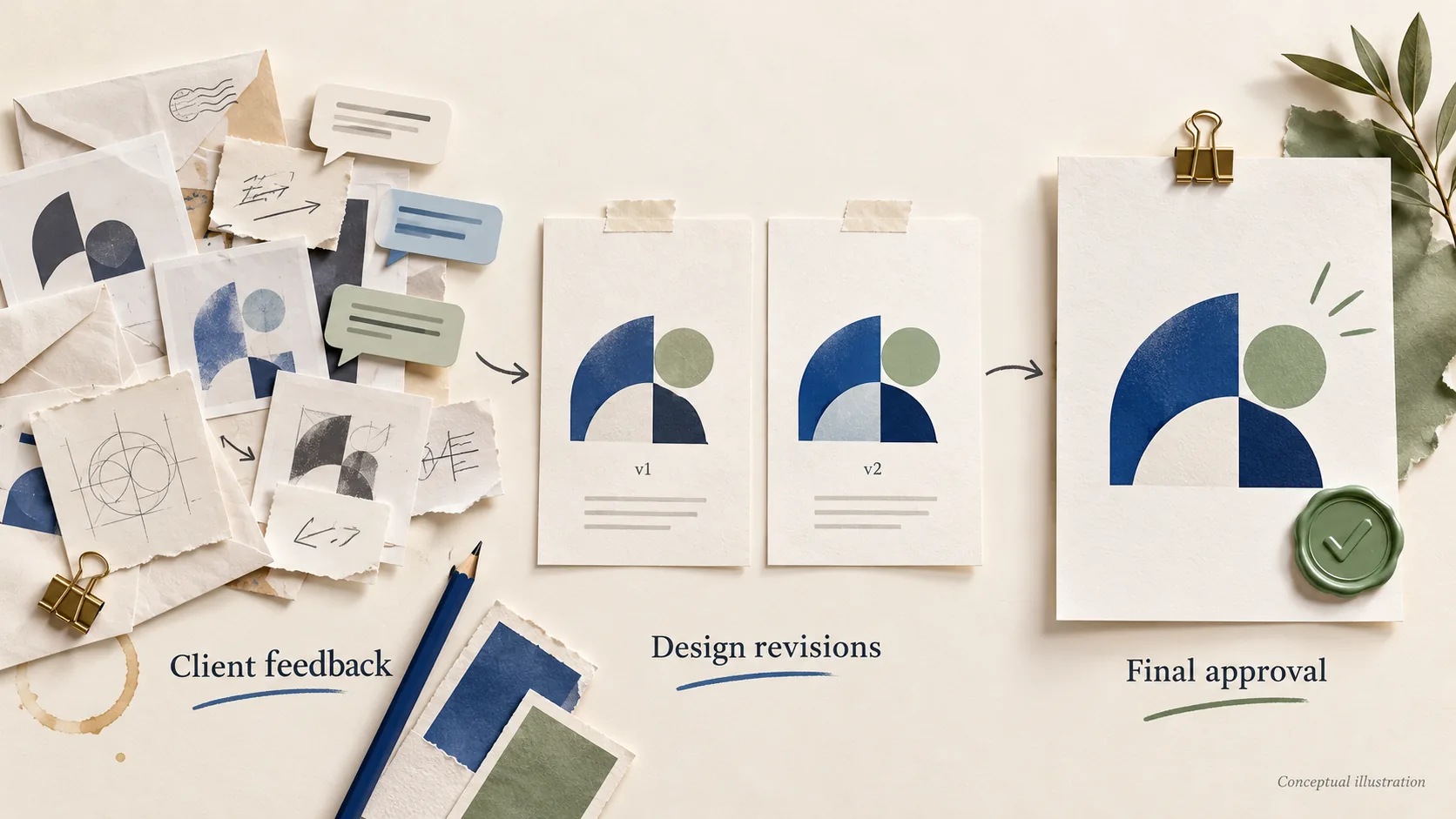
You sent the logo concepts on Monday. By Thursday, feedback has arrived in an email thread, a chat message, a screenshot with red circles, and one cheerful “looks great!” from someone who may or may not be the person who signs off. Two weeks later, the client asks why the final file uses the second color option, and you’re scrolling through inboxes trying to show they picked it.
Proofing software is meant to fix two things: keeping every comment attached to the version it refers to, and recording who approved what, and when. This guide looks for the best proofing software for freelance graphic designers by asking one practical question: what will it actually cost one designer to manage five clients, and how easily can those clients review and approve designs?
It’s written for freelancers who deal with repeated revision rounds, several stakeholders per client, and approval records they need to keep. If your clients send one round of feedback by email and that works, you may not need any of these tools. We cover that too.
Disclosure: We don’t currently earn commissions from any tool in this article. If we add affiliate links in the future, we’ll update this note and label them. Commissions never determine which tools we include or how we assess them.
The short version. We compared three tools, not the whole market, and none of them has a dedicated solo plan. Displayed entry prices run from $60/month (Approval Studio Lite, billing cycle not confirmed) to $99/month (zipBoard Team). The documentation doesn’t support one winner for every workflow, so here’s how to choose (details reviewed October 2026):
- You need version comparison and a retained approval record on the entry plan: look first at Approval Studio Lite. Its pricing page lists versioning, four comparison modes, reporting, and project history on Lite, with a five-user minimum.
- You run multi-round reviews with many client stakeholders and light file storage: look at zipBoard Team, which includes unlimited reviewers, 20 content pieces, and up to 1GB of storage. zipBoard documents approval decisions and version comparison as product capabilities; inclusion in Team has not been confirmed.
- Your reviews are mostly a single round of comments, including on websites or video: consider MarkUp.io Pro. It doesn’t offer built-in versioning or a version-linked approval history.
- You have one or two clients and simple feedback: read When a free alternative is enough first.
Jump to the full comparison table
Which proofing tool fits your freelance design workflow?
“Proofing software” covers tools built for different jobs. Start with the work you actually deliver.
For logo and brand identity projects
Brand work usually means several concepts in round one, then narrowing down over two or three rounds. You’ll want version history that keeps earlier comments, a visual way for the client to compare versions, and an approval tied to a specific version and person.
Approval Studio lists version history and visual comparison on Lite. zipBoard documents both as product capabilities, though inclusion in Team has not been confirmed. MarkUp.io doesn’t offer built-in versioning, so each round would live in a separate MarkUp.
For multi-page PDFs and print deliverables
Brochures, menus, and packaging carry higher stakes: a typo that survives approval gets printed. You’ll want comparison that shows what changed, approval from more than one person, and an exportable record to keep with the print order. Print-ready PDFs are also large, so storage matters.
Approval Studio Lite’s PDF proof reports and 5GB of storage suit this work. zipBoard documents PDF comparison as a product capability, but its Team plan’s storage cap of up to 1GB can fill quickly with print files.
For recurring social media design clients
Social retainers are about volume: many small assets, light feedback, and clients who won’t tolerate friction. Usage limits matter more than advanced approval features here.
MarkUp.io supports images and video and prices Pro by monthly MarkUp allowance. Approval Studio Lite lists unlimited projects and external reviews. zipBoard’s 20 content pieces are the limit to check against your volume. See How usage limits affect your costs.
Compare the real cost of working with five clients
Advertised prices are often the annual price expressed per month, for one seat, on the cheapest tier. A solo designer needs three numbers: what’s charged this month, what you commit to for the year, and what changes as your workload grows.
Feature comparison: reviewers, versions, approvals, and exports
Scenario: one designer, five active clients, two to three revision rounds per deliverable. “Not verified” means we couldn’t confirm the detail from an official source.
| Criteria | zipBoard | MarkUp.io | Approval Studio |
|---|---|---|---|
| Plan compared | Team (usable solo; no dedicated solo plan) | Pro | Lite |
| Paid seats | 1 manager included | Unlimited users, 1 workspace | 5-user minimum ($12/user/month shown on homepage) |
| Entry price | From $99/month on monthly billing | $79/month for 50 MarkUps/month on monthly billing | $60/month displayed; confirm the selected billing cycle and total charge |
| Annual billing | Monthly and annual subscriptions are available; the annual total was not confirmed in this review | $990/year for 75 MarkUps/month or $1,290/year for 100; no annual option listed for 50 | 10% savings advertised; annual amount not listed |
| External reviewers | Unlimited collaborators and reviewers | Unlimited users | Unlimited external reviews |
| Client access | No account when guest access is on; name and email requested; owners can require signup | No account; name and email, then “Continue as a Guest” | Quick Link: display name only, no account or email |
| Email verification | Not mentioned in the guest documentation reviewed | Not mentioned in the guest documentation reviewed | Quick Link doesn’t ask for an email |
| Supported files | PDFs, documents, and images documented for comparison; full list not verified | Websites, images, PDFs, and videos | Not verified |
| Version history | Earlier versions keep their comments (product capability; Team inclusion not confirmed) | No built-in version control | Yes, listed on Lite |
| Visual comparison | Side-by-side (product capability; Team inclusion not confirmed) | None built in | Side-by-Side, Fader, Difference, Toggle, listed on Lite |
| Approval record | Approved and Changes Requested decisions; a new version resets approvals (product capability; Team inclusion not confirmed) | Project statuses and reviewer sign-off; not a version-linked approval history | Decisions with reviewer names, timestamps, and project history |
| Usage limits | 20 content pieces (uploaded documents or added site links) | 50, 75, or 100 MarkUps a month by option | Unlimited projects |
| Storage | Up to 1GB | 100–200GB range listed for Pro, varying by option | 5GB |
| Exports | Several export types documented. CSV task download: Enterprise and custom plans. Project reports: listed under Agency. Comment export and annotated PDFs: Team inclusion not confirmed | Comments as CSV or JSON, for Workspace Owners and Admins | PDF proof reports with comments and approvals; approval-table PDF added October 2026 |
| Free trial | No credit card; pricing page lists both 14 and 15 days | 14 days | Lite: 14 days, no credit card |
| Main limitation | Starts at $99/month; confirm that your required features are included in Team | No versioning; sign-off isn’t an approval history | Pays for five users when you work alone |
“Product capability” means the feature is documented for the product, but we couldn’t confirm that it’s included in the plan shown. Official sources: zipBoard pricing, MarkUp.io pricing, Approval Studio pricing. Feature documentation is linked in each product section.
Monthly billing vs. annual commitments
“$X/month” can mean you’re billed monthly, or that you pay a year upfront and the figure is the annual total divided by 12. For a freelancer whose client load swings, that difference matters: a monthly plan gives you room to downgrade when retainers end.
- zipBoard Team: from $99/month on monthly billing. Monthly and annual subscriptions are available; the annual total was not confirmed in this review.
- MarkUp.io Pro: $99/month on monthly billing or $990/year for the same 75-MarkUp allowance. At 100 MarkUps, $129/month or $1,290/year. The 50-MarkUp option ($79/month) has no listed annual price.
- Approval Studio Lite: Approval Studio displays Lite at $60/month and offers annual and monthly options. Confirm the selected billing cycle and total charge before subscribing.
MarkUp.io is the only one where both billing cycles are listed for the same allowance. At 75 MarkUps, a year upfront costs $198 less than twelve monthly payments ($1,188 vs. $990), but only if you use it for the full year. A reasonable approach is to pay monthly through at least one full client project, and to read the refund and cancellation terms before paying annually.
How usage limits affect your costs
None of the three charges per external reviewer on the plans compared, so a new client doesn’t automatically add a reviewer fee. The limits that change your cost are different for each tool:
- zipBoard: 20 content pieces and up to 1GB of storage on Team. zipBoard’s pricing FAQ defines a content piece as an uploaded document or a webpage or site link added for review, such as an image folder, PDF, video, SCORM/HTML file, ZIP file, or website URL. Different pages under the same domain count as one content piece. So a content piece isn’t the same as a client, and an image folder can count as one piece rather than one per image. The documentation we reviewed doesn’t say how new versions, deleted or archived items, or allowance resets affect the count, so check that with zipBoard before estimating whether five clients’ work fits.
- MarkUp.io: your monthly MarkUp allowance (50, 75, or 100) and the storage tied to the option you pick.
- Approval Studio: Lite lists unlimited projects and external reviews, so storage (5GB) is the main limit to watch.
For MarkUp.io, estimate how many billable MarkUps your workflow creates, including separate items used for revision rounds, and confirm the vendor’s counting rules before choosing an allowance.
How we evaluated the shortlist
Sources, selection criteria, and limitations
We chose three tools built for client review of creative files, each with a different pricing model that affects a solo designer differently:
- zipBoard: a flat team plan with one manager seat and unlimited reviewers.
- MarkUp.io: usage-based pricing with unlimited users.
- Approval Studio: per-user pricing with a five-user minimum.
This is not a survey of the whole proofing market. Other tools exist that we didn’t evaluate, and a tool’s absence here says nothing about its quality. Commission availability played no part in which tools we included.
This comparison is based on official pricing pages and product documentation. We have not conducted hands-on testing. We reviewed pricing pages, help-center articles, and release notes in October 2026, and assessed five things separately because marketing copy often blurs them: client access (account, email entry, and email verification are different requirements), version history, visual comparison, approval records, and exports. Where a feature is documented for the product but not clearly listed on the plan we compared, we say so. Pricing and features change often, so check the vendor’s pages before buying.
What still requires hands-on testing
Documentation can’t tell you how a tool feels to a non-technical client, how files render on a phone, or how large print PDFs perform. If those matter to you, the optional checklist in What to test before subscribing suggests what to look at during a free trial.
The shortlisted tools: strengths, limitations, and best-fit projects
zipBoard
Best fit: multi-round reviews with several client stakeholders per project and modest file storage, once you’ve confirmed that the approval features you need are included in your plan.
What’s documented:
- Client access: with guest access enabled, clients don’t need an account. Guests are asked for a name and email so feedback is attributed. The guest documentation we reviewed doesn’t mention a verification step, and owners can require signup or login in share-link settings (zipBoard guide to client access without an account).
- Approvals: reviewers can record decisions including Approved and Changes Requested. Uploading a revised version resets earlier approvals. Documented product capability; inclusion in Team has not been confirmed (zipBoard document approval workflow).
- Versions: earlier versions keep their comments, and side-by-side comparison is documented for PDFs, documents, and images. Documented product capability; inclusion in Team has not been confirmed.
- Exports: zipBoard documents several export types, with different plan rules. The approval-workflow guide says project boards and downloading tasks as CSV are available on Enterprise and custom plans. The pricing page lists project reports under Agency. Comment export and annotated PDFs are documented (zipBoard guide to exporting review comments), but we couldn’t confirm they’re included in Team. Confirm the required format is included in your selected plan.
Plan and cost: no dedicated solo plan. The Team plan starts at $99/month on monthly billing and includes one manager, unlimited collaborators and reviewers, 20 content pieces, and up to 1GB of storage. Confirm that the approval, comparison, and export features you need are included in Team before you subscribe.
Strengths: unlimited reviewers, so client stakeholders don’t add cost; one manager seat with no empty seats to pay for; and, where available, approvals that reset with each new version, so a round-one approval isn’t carried over to a revised file.
Limitations: starts at $99/month, so confirm that your required features are included in Team; a storage cap that print-heavy work may outgrow, and approval and export features whose Team entitlement isn’t confirmed. Project reports are listed under Agency, and CSV task download under Enterprise and custom plans.
Skip it if: you have one or two clients, mostly deliver large print files, or need confirmed approval exports on the entry plan.
Check which zipBoard plan includes the features you need
MarkUp.io
Best fit: single-round feedback on websites, images, PDFs, or video, where you don’t need the tool to track versions or keep a formal approval history.
What’s documented:
- Client access: guest reviewers don’t need an account. They enter a name and email, then select “Continue as a Guest.” The guest guide doesn’t mention a verification step (MarkUp.io guest user guide).
- Approvals: project statuses and individual reviewer sign-off. Sign-off means a reviewer has finished their part; only admins and MarkUp owners can change the overall project status (MarkUp.io statuses and sign-off guide).
- Versions: no built-in version control or native comparison. MarkUp.io recommends separate MarkUps organized in folders for each review round (MarkUp.io comparison page with Ruttl).
- Exports: comments as CSV or JSON, available to Workspace Owners and Admins (MarkUp.io comment export guide).
Plan and cost: Pro is priced by monthly allowance, with unlimited users and one workspace: $79, $99, or $129 a month on monthly billing for 50, 75, or 100 MarkUps. Annual billing is $990/year (75) or $1,290/year (100). Pro lists a 100–200GB storage range that varies by option. There’s a 14-day free trial.
Strengths: clearly listed monthly and annual prices, documented support for websites, images, PDFs, and video, unlimited users, and the largest listed storage range of the three.
Limitations: no built-in versioning or comparison, and reviewer sign-off records that someone finished, not which version they approved.
Skip it if: your projects routinely run several rounds, or you need to retain a record of which version a client approved.
See MarkUp.io Pro options and 14-day trial on MarkUp.io’s pricing page
Approval Studio
Best fit: packaging, print collateral, and brand work where you need to retain who approved which version, and when.
What’s documented:
- Client access: external reviewers don’t need an account. With a Quick Link, they enter a display name; registration and an email address aren’t required. Email invitations need the recipient’s address to be sent, which isn’t the same as verifying it (Approval Studio external review feature page).
- Approvals: approval decisions are recorded with reviewer names, timestamps, and project history.
- Versions: version history and four comparison modes: Side-by-Side, Fader, Difference, and Toggle.
- Exports: downloadable PDF proof reports with comments and approval information. The October 2026 update adds a PDF with an approval table of reviewers, decisions, and timestamps (Approval Studio October 2026 release notes).
Plan and cost: Lite has a five-user minimum. The homepage shows $12/user/month, and Approval Studio displays Lite at $60/month, so a solo designer should budget from that figure, not $12. Confirm the selected billing cycle and total charge before subscribing. Lite lists 5GB of storage, unlimited projects, unlimited external reviews, reporting, project history, file versioning, and the four comparison modes, with a 14-day free trial that needs no credit card.
Strengths: documented approval decisions with names and timestamps, versioning and comparison listed on the entry plan, unlimited projects and external reviews, and a Quick Link that asks clients only for a display name.
Limitations: you pay for five users when you work alone, the billing cycle behind the displayed $60 isn’t confirmed, and a Quick Link display name is whatever the reviewer types. A self-entered name or email labels feedback but doesn’t, by itself, verify the reviewer’s identity, so keep your own record of who is authorized to give final approval.
Skip it if: you mostly deliver quick social graphics with one round of light feedback.
See Approval Studio Lite pricing and 14-day trial on Approval Studio’s pricing page
How the tools handle a revision cycle
This is an illustrative three-stage project, not a test we ran. It shows where the documented differences matter in practice.
Collect feedback on initial concepts
You send three logo concepts to a client and their co-founder. What matters is that both can comment without paid seats and that you can tell who said what. All three tools allow external review without an account. The practical difference is identity: a tool that asks for name and email gives you an attributed comment, while a display-name-only link requires fewer fields. Either way, a self-entered name or email gives the feedback a label; on its own, it doesn’t verify who the reviewer is.
Review a revised version
The client picks concept B and asks for changes. You upload v2. The question is whether round-one comments stay attached to v1 and whether the client can see exactly what changed. Approval Studio lists version history and comparison on Lite; zipBoard documents them as product capabilities, with Team inclusion not confirmed. Without it, you manage each round as a separate item and the client compares by eye, which works for one revision but gets messy by round three.
Record and retain final approval
The client says yes. What you want to keep is who approved, which version, and when, exported alongside your project files. Before relying on a tool for this, confirm that both the approval feature and the export format you need are included in your plan. A reviewer “sign-off” that only marks someone as finished is useful for tracking progress but isn’t the same record. If you rely on one, keep the client’s written confirmation as well.
An approval record helps you have a factual conversation if questions come up later. It doesn’t by itself prevent scope creep or settle a contractual dispute; your contract and revision policy do that work.
When a free alternative is enough
Simple reviews in your existing tools
If feedback stays in one file and one round, the tools you already use may be enough. Many design apps include sharing and commenting; check whether clients can comment without a paid seat, whether they can see older versions, and whether there’s any approval action. For an occasional brochure, PDF comments in a free reader can work, with the trade-off that comments arrive as separate files and “approval” is whatever the client writes in an email.
When a paid subscription becomes worth considering
A dedicated tool starts to make sense when you regularly run several revision rounds, deal with multiple stakeholders per client, or need to retain approval records. To sanity-check the price:
Monthly subscription cost ÷ hourly value of your time = hours you’d need to save each month to break even.
Hypothetical example: an $80/month subscription ÷ an assumed $50/hour = 1.6 hours you’d need to save each month. Both numbers are illustrative, not vendor prices or measured savings. Saved time also doesn’t automatically become revenue; it only does if you fill those hours with billable work.
What to test before subscribing
All three tools offer free trials. If you use one, these optional checks can help you decide.
Client access and commenting
- Upload a real deliverable and confirm it renders correctly, including multi-page PDFs if you produce them.
- Send the review link and note exactly what your client had to do: create an account, enter an email, verify an email, or type a name.
- Check that each comment shows who wrote it.
Versions and approval records
- Upload a second version and check that the first round’s comments stay with the first version.
- Compare the two versions using whatever view the tool offers.
- Check what an approval records: name, version, and timestamp.
Exports, limits, and cancellation
- Confirm that the export format and approval features you need are included in the plan you’d buy, not only in a higher tier.
- Check how your usage counts against the plan’s limits, and whether storage is enough for your files.
- Read the cancellation and refund terms, and what happens to projects and client links after you cancel.
Try it with one client project before committing to an annual plan.
- Need version comparison and retained approval records: see Approval Studio Lite pricing and trial
- Running multi-round reviews with many stakeholders: check which zipBoard plan includes approvals and exports
- Collecting single-round feedback on sites, images, or video: see MarkUp.io Pro options and trial
Frequently asked questions
Do clients need an account?
Not with zipBoard (when guest access is on), MarkUp.io, or Approval Studio. zipBoard and MarkUp.io ask guests for a name and email; their guest documentation doesn’t mention a verification step. Approval Studio’s Quick Link asks only for a display name.
Are external reviewers included?
Yes, on the plans we compared. zipBoard Team includes unlimited collaborators and reviewers, MarkUp.io Pro includes unlimited users, and Approval Studio Lite lists unlimited external reviews. Other limits, like content pieces, monthly allowances, or storage, still apply.
Is reviewer sign-off the same as final approval?
No. Sign-off can mean a reviewer finished their part of the review. Final approval is a record of who accepted which version, and when. MarkUp.io’s sign-off is the first kind. Approval Studio documents approval decisions with names and timestamps; zipBoard documents Approved and Changes Requested decisions, though inclusion in Team has not been confirmed.
Can comments and approval records be exported?
Export options are documented for all three, but confirm the required format is included in your selected plan. MarkUp.io exports comments as CSV or JSON for Owners and Admins. Approval Studio offers PDF proof reports with comments and approval information. zipBoard documents several exports with different plan rules: project reports are listed under Agency, and CSV task download under Enterprise and custom plans.
Is proofing software worth it for a solo designer?
It’s most likely to be worth it if you handle repeated revisions, multiple stakeholders, and approval records you need to keep. If feedback is simple and occasional, your existing tools may be enough. A trial with one real client is the best way to decide.